Health Checks
Requirements
- Connection to the client machine(s) (IP addresses and ports of the Controller(s))
- SmartKit tool with Historical Performance Monitoring package installed
Tasks
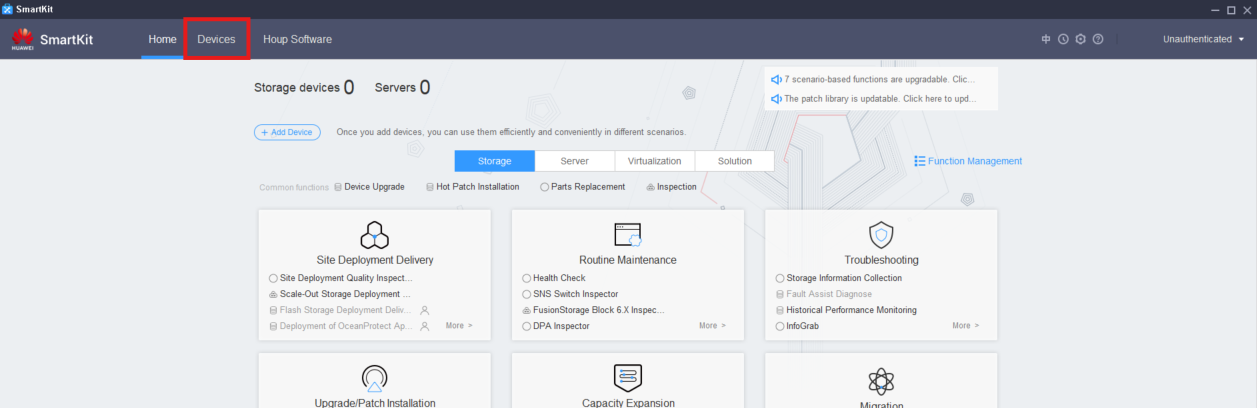
Add Devices
- Click on 'Devices'
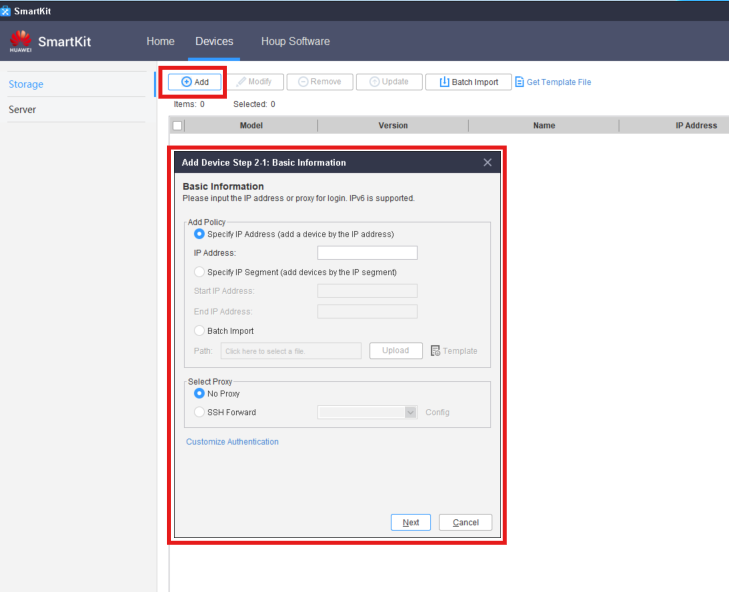
 2. Click 'Add' and fill the details for the Machine(s)
Inspection
- Go to: Routine Maintenance → More → Inspection
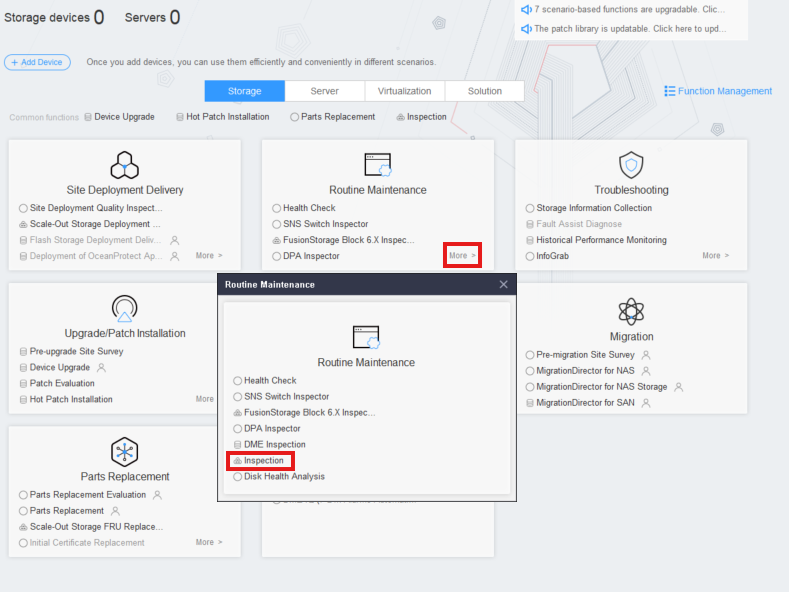
2. Click 'Inspection' to enter the Inspection Wizard
3. Click 'Next' → Select all of the added devices
4. Click 'Next' → Leave as default all checklists
5. Wait for the process to finish
Storage Information Collection
- Go to: Troubleshooting → Storage Information Collection
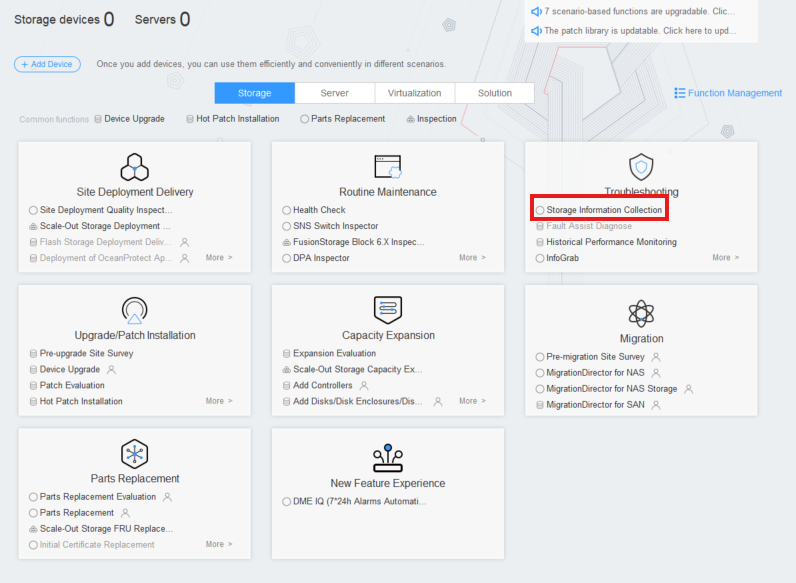 2. Click Information Collection
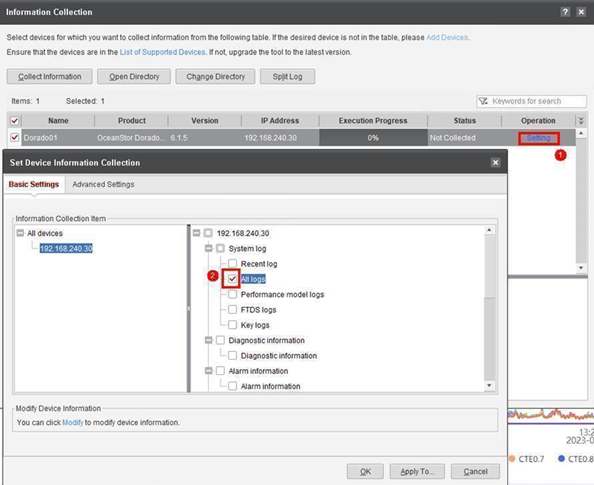
3. Modify on all devices: Operation → Setting → Basic Settings → 'All Logs'
2. Click Information Collection
3. Modify on all devices: Operation → Setting → Basic Settings → 'All Logs'
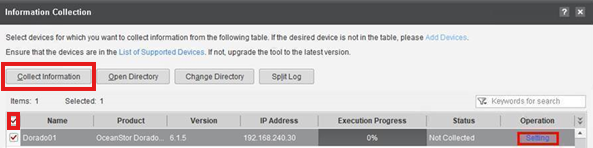
4. Select all the devices → Click 'Collect Information'
Historical Performance Monitoring
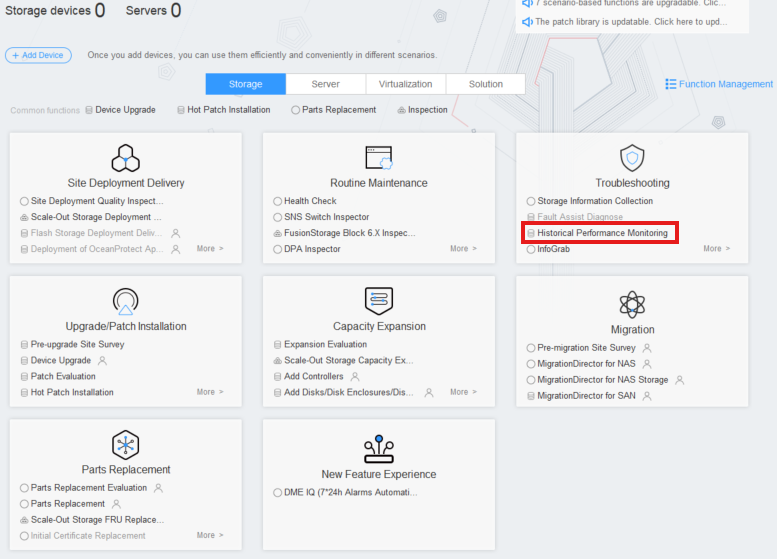
- Go to: Troubleshooting → Historical Performance Monitoring
2. Click 'Device Selection'
3. Modify on all devices for '7z Compression'
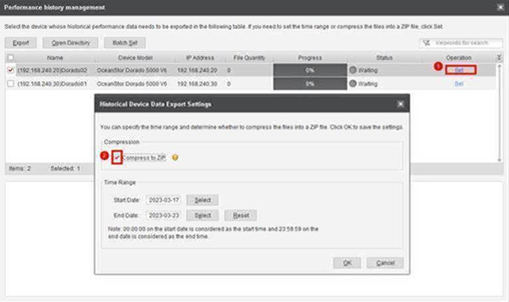
4. Click 'OK' → 'Historical Performance'